Get an account
You will finish with a sign-in that works on every app here.
1. Create it yourself
Open https://authentik.virtualcalz.one and click Continue with Discord.
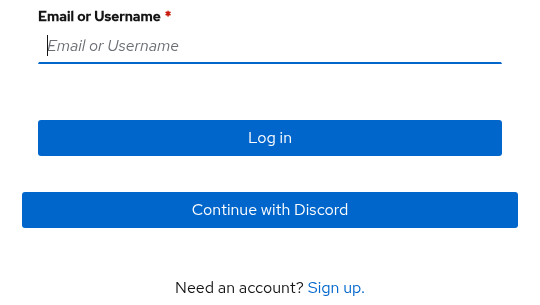
That is the whole signup. Enrolment is open, so signing in with Discord creates your account. You are not asked to invent a password and none is set for you.
Use the Discord account whose email address the team knows, if there is one. Identities are matched by email, so a second Discord account is a second identity with nothing attached to it.
Ignore the Email or Username box. It is for accounts that were given a password.
2. Ask for access
Creating the account does not grant anything. What you can reach is decided by groups, and a group is added by a person.
Ask in the team chat for the one you need:
authentik-evc-team-relay-usersfor the shared vaultauthentik-psn-viewersto read the PSN repositoriesauthentik-psn-usersto contribute to them, and to read the PSN docs site
An app with no group bindings admits anyone who has signed up. An app with bindings refuses anyone outside those groups, which is what a "Flow does not apply to current user" page means. So an app turning you away is a missing group, never a broken account.
3. Confirm what you can reach
Open the thing you asked for:
- The shared vault: Set up the relay.
- The PSN apps:
https://git.psn.virtualcalz.one. Your repositories are listed when your access is in place.
Next: Set up the relay
If it does not work
| What you see | What to do |
|---|---|
| An app says no, or "Flow does not apply to current user" | Ask for that app's group in step 2 |
| A page asking for a password you never set | Click Continue with Discord instead |
| A password reset link never arrives | Email delivery is off. Ask an admin to set the password by hand |
| Two of you now exist | You signed in with a second Discord account or email. Tell us which one is you |
docs.psn.virtualcalz.one is gated to authentik-psn-users and authentik-psn-admins, so a reader
with only authentik-psn-viewers is refused there while the git server accepts them.